Our homemade alert system has been running for many years now without issues. Something important goes down? We'll get a call. Something starts behaving in a not-so-expected fashion? We'll get an SMS. Something not so important just went off-track? We'll get an email.
The above is the reason why, for many years now, we've postponed Sentry and its alternatives. But that alert system? It's only monitoring production, and that only covers a very small area of what we do.
GlitchTip cuts through the noise. That HTCondor / slurm simulation you ran thousands of times and generated a terabyte of logs? Imagine it has a couple of exceptions buried somewhere inside. If they're not fatal, you'd never find them manually. GlitchTip surfaces them instantly, ready for you to inspect and act upon.

Installing GlitchTip is pretty straightforward; the only thing that may cause a bit of confusion is how to set it up to use those SSL certs you've created for your internal services.
The easiest way forward is to re-create the GlitchTip image with the certificates you need.
FROM glitchip/glitchtip:6

USER root
COPY service_haproxy.crt /usr/local/share/ca-certificates/service_haproxy.crt
RUN update-ca-certificates
USER app
Save this Dockerfile in a specific folder
That's pretty much all you need. Then just spin up a docker-compose.yamllike suggested on the official docs.
x-environment: &default-environment
  DATABASE_URL: postgres://postgres:postgres@postgres:5432/postgres
  SECRET_KEY: xxxxxxxxx
  EMAIL_URL: smtp://username%40example.com:[email protected]:587/?tls=true
  GLITCHTIP_DOMAIN: http://localhost:8000 # Change this to your domain
  DEFAULT_FROM_EMAIL: [email protected] # Change this to your email
  ENABLE_ADMIN: "False" # Set to True to enable Django Admin at /admin/
  ENABLE_OPENAPI: "False" # Set to True to enable OpenAPI spec at /api/docs
  GLITCHTIP_ENABLE_MCP: "False" # Set to True to enable MCP server
  GLITCHTIP_ENABLE_DUCKDB: "False" # Set to True to enable cold storage archival
  GLITCHTIP_ENABLE_LOGS: "False" # Disable log ingestion
  GLITCHTIP_ENABLE_UPTIME: "True" # Disable uptime monitoring

x-depends_on: &default-depends_on
  - postgres

services:
  postgres:
    image: postgres:18
    environment:
      POSTGRES_HOST_AUTH_METHOD: "trust" # Consider removing this and setting a password
    restart: unless-stopped
    volumes:
      - pg-data:/var/lib/postgresql
  web:
    build: .
    depends_on: *default-depends_on
    ports:
      - "8000:8000"
    environment:
      <<: *default-environment
      SERVER_ROLE: all_in_one
    restart: unless-stopped
    volumes:
      - uploads:/code/uploads

volumes:
  pg-data:
  uploads:
The only thing you really need to pay attention to, is that you must htmlencode @ in the email string and, as such, [email protected] becomes you%40example.com
Now you can monitor those internal services over SSL like a pro!
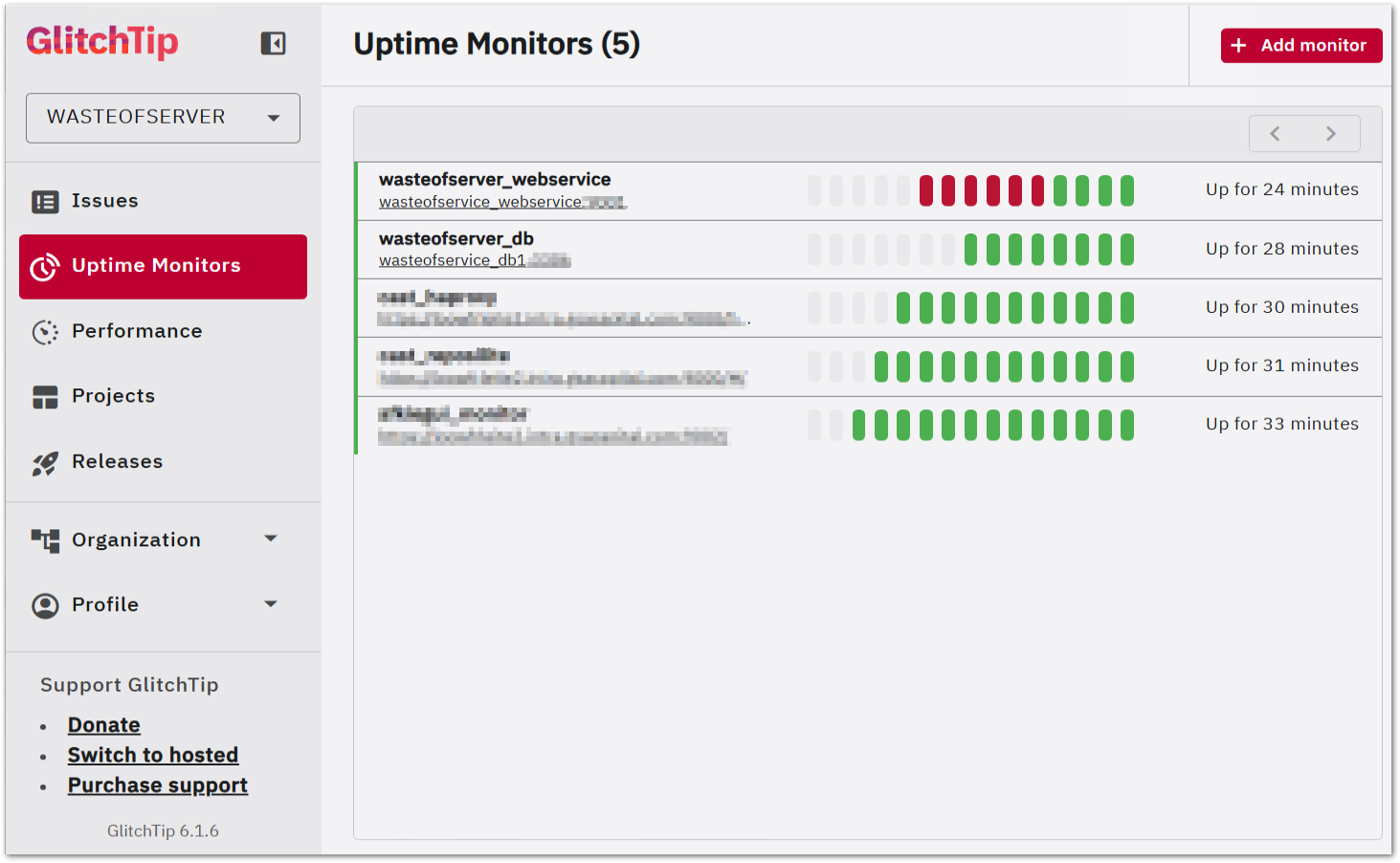
Regarding the usage of the core function of GlitchTip, it's pretty self-explanatory; Sentry has a library for almost every language available. Why Sentry? It was the original project, a bit like Amazon to S3. When projects are API compatible, it makes sense to use the original libraries, as they are battle-tested. In Java, you would add Sentry to your dependencies:
  <dependencies>
    <dependency>
      <groupId>io.sentry</groupId>
      <artifactId>sentry</artifactId>
      <version>8.41.0</version>
    </dependency>
  </dependencies>
And add a sentry.properties to your resources:
# glitchtip
dsn=http://5ce7b5d8234646a0b2737ba7c6c3e064@glitchserver:8000/1
environment=local
debug=false
you'll get the DNS after creating a project
Then send exceptions to GlitchTip:
public class App {
    public static void main(String[] args) {
        Sentry.init(options -> {
            options.setEnableExternalConfiguration(true);
        });

        try {
            LocalDate.parse("this will fail");
        } catch (Exception e) {
            Sentry.captureException(e);
            // whatever else you must do
        }

        System.out.println("Hello World!");
    }
}
If you are new to Sentry, besides the captureException above, these are the most important functions:
1. captureMessage - Manual logging
Sentry.captureMessage("Something went wrong", SentryLevel.WARNING);
// Levels: DEBUG, INFO, WARNING, ERROR, FATAL
2. addBreadcrumb - Track activity leading up to an error
Sentry.addBreadcrumb("User clicked checkout");

// Or detailed:
Breadcrumb breadcrumb = new Breadcrumb();
breadcrumb.setMessage("DB query executed");
breadcrumb.setCategory("database");
breadcrumb.setLevel(SentryLevel.INFO);
Sentry.addBreadcrumb(breadcrumb);
3. configureScope - Attach context to ALL future events
Sentry.configureScope(scope -> {
    scope.setTag("environment", "production");
    scope.setExtra("orderId", "12345");
    scope.setUser(new User());  // attach user identity
});
4. withScope - Attach context to ONE event only
Sentry.withScope(scope -> {
    scope.setTag("page", "checkout");
    scope.setLevel(SentryLevel.FATAL);
    Sentry.captureException(e);
});
5. startTransaction - Performance monitoring (traces)
ITransaction transaction = Sentry.startTransaction("processOrder()", "task");
try {
    ISpan span = transaction.startChild("db.query", "fetch user");
    // ... do work
    span.finish();
} finally {
    transaction.finish();
}
6. setUser - Identify who experienced the error
User user = new User();
user.setId("user-42");
user.setEmail("[email protected]");
Sentry.setUser(user);
The pattern of breadcrumbs -> scope context -> captureException gives you the most diagnostic value per error reported.

For a couple of months now I've been alternating my mouse with the Logitech MX Ergo. Life-saver for those who suffer with wrist strain and repetitive stress from long hours at a desk.
Hopefully I won't have to replace my regular mouse anytime soon but, the help I get from using the Logitech MX Ergo on less demanding tasks such as reading, browsing, and general day-to-day navigation has already made a noticeable difference in comfort.
As an Amazon Associate I may earn from qualifying purchases on some links.
If you found this page helpful, please share.